Here’s a spectrum of how much autonomy an agent has. On this side, it has full autonomy. It can do anything it wants, dangerously skip permissions. And on this side is the human involved in each step, no autonomy. Now, both of these are not ideal. We want to be somewhere in the middle, where we’re involved when it matters, when we need to be at specific, potentially risky steps. And otherwise, we want to let the agent run.
That’s precisely what we’re enabling today with the launch of human-in-the-loop controls at three different levels: at the app level, at specific tools in those apps, and custom rules.
So now in any agent in the apps configuration, you can decide whether your agent should loop you in and pause when it uses that app. So for instance, if I don’t want my agent updating or deleting contacts in our CRM, I can go ahead and add that as a control. Now, if I say “delete all contacts,” it’s going to go ahead and pause and ask, “Are you sure?”
When an agent requires approval in a chat, that chat goes into the approval section on the left. You’ll also see pending approvals across all of your agents in the new notification tab at the bottom. And if you don’t have Gumloop open, we’ll even notify you on Slack that an agent is waiting for your approval. Now, I obviously won’t approve this. That would be bad, really bad.
So the second level of control is by targeting a specific action within an app, like always requiring approval before sending an email. So let’s go into Gmail here into its configuration, and let’s turn on approvals for sending emails. So now if I want a pipeline report sent to katherine@gumloop.com, the agent will go through the steps, and when it gets to the email action, it’s going to wait for my approval.
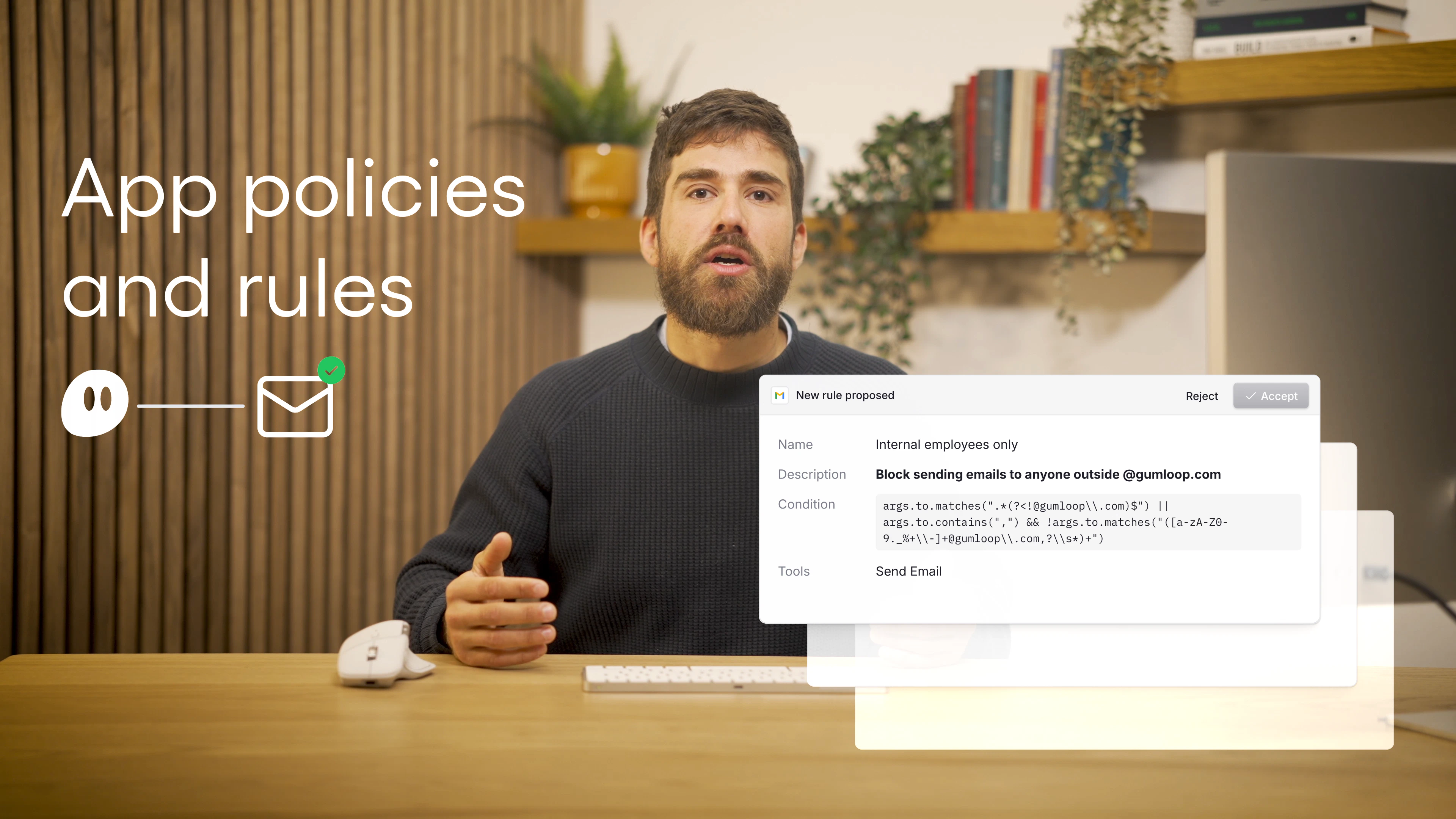
And finally, you can create even more precise rules through app rules. You can simply type those in. So let’s say I don’t want this agent sending emails to any external users that are not at gumloop.com. The agent is going to create a rule that checks whether the email we’re sending is going to a Gumloop user. In that case, it’ll go through fine. Otherwise, it’s going to ask for approval.
With human-in-the-loop, you get the right level of control, so you’re involved precisely the right amount at the right time when it matters. And you can decide when that is and at what level of control you want.
Human-in-the-Loop
Human-in-the-loop controls let you decide exactly when an agent should pause and ask for approval, so it only acts independently on the steps you trust.
Full autonomy is dangerous. Zero autonomy is pointless. The real goal is to stay involved at the moments that matter and let the agent handle everything else. Human-in-the-loop controls give you that balance, and they work at three levels of precision.
App-Level Approvals
The broadest control is at the app level. In any agent’s app configuration, you can require approval whenever the agent tries to use a specific app. If your CRM holds sensitive customer data, for example, you can make the agent pause before any CRM action and wait for your go-ahead.
When an agent hits an approval step, a few things happen:
- The chat moves to a dedicated approval section in your sidebar
- A notification appears in the new notification tab across all your agents
- If you’re not in Gumloop, you get a Slack notification that an agent is waiting
Action-Level Approvals
Sometimes you trust an agent to read from an app but not to write. Action-level controls let you get more specific. Instead of gating an entire app, you can target individual actions within it.
A common setup: let the agent read emails and draft responses freely, but require approval before it actually sends anything. You configure this in the app’s settings by toggling approvals for specific actions like “send email.”
Custom Rules
For the most precise control, you can write custom rules in plain language. These rules let you define conditions that determine whether an action needs approval.
For example, you might write a rule like “require approval for emails sent to anyone outside gumloop.com.” The agent creates a check based on your rule. Internal emails go through automatically. External emails pause for review. This keeps the agent fast for routine work while flagging anything that needs a human eye.
What to Remember
Human-in-the-loop is about finding the right spot on the autonomy spectrum. Use app-level controls when you want broad oversight, action-level controls when you trust reads but not writes, and custom rules when you need conditional logic. The agent stays productive, and you stay in control where it counts.